Create beautiful diagrams (flowcharts, sitemaps, org. charts, Venn diagrams etc.) in minutes!
Diagrams.me Pro v1.0play.google.com.diagrams.pro
Two editing modes: Drag and drop from the shapes library or use simple and natural gestures to literally draw diagrams as naturally as if you were sketching on paper.
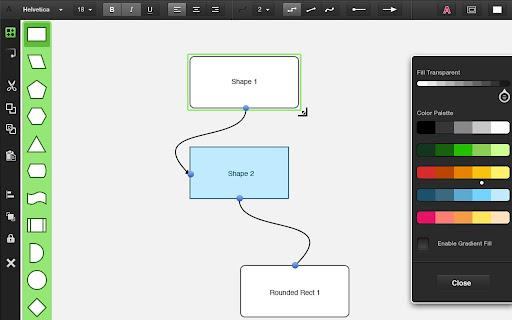
Full palette of control and formatting options to let you customize your diagrams and make them look exactly as you visualize them.
Features:
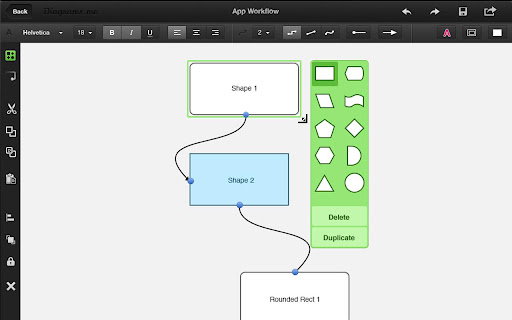
- A large library of shapes that you can select and drop into the canvas (superb control over size)
- Gesture mode allows you to draw common shapes with your fingers – these sketches are automatically converted to shapes
- Build diagrams and graphs through connections – select a shape to see glue points, tap and drag any glue point to start drawing a connector, drop it on any other object to connect the two shapes
- Insert labels and text in shapes
- Select, move, rotate and scale proportionately
- Change shape size, colors, opacity and other properties
- Font library, font size, font colors and font alignment.
- Different connection types with adjustable radius
- Bring To Front / Send To back / Lock Shapes
- Undo & Redo to allow you to make changes confidently
- Zoom (pinch outwards to zoom out, inwards to zoom in)
- Pan (drag screen with two fingers to pan screen)
- Duplicate/delete/switch shape (long press to duplicate or delete a shape or replace it with an alternative shape in a snap)
Required Android O/S : 2.2+
Screenshots :